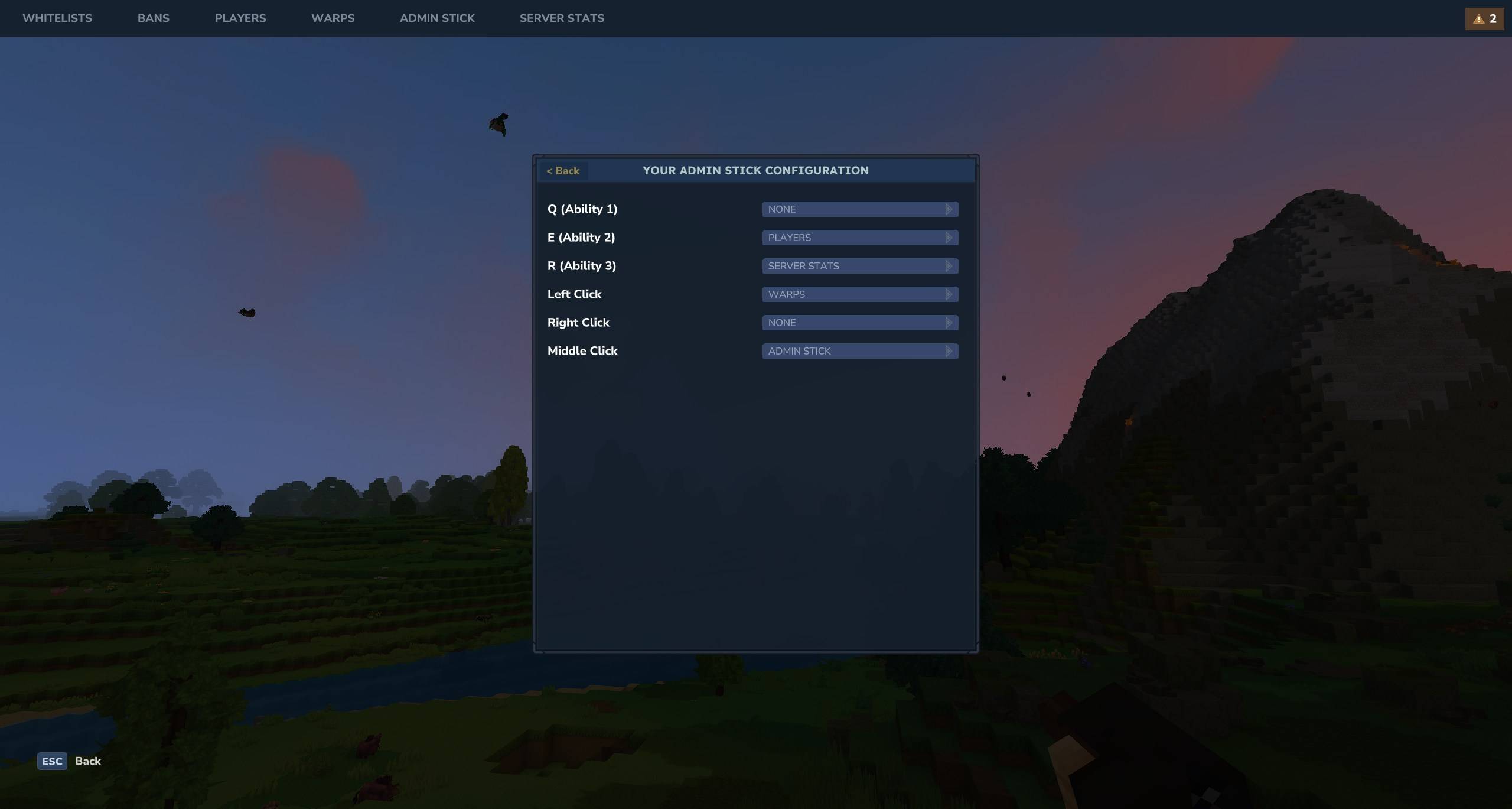
AdminUI is a server management mod for Hytale that replaces complex commands with intuitive visual interfaces. Monitor server stats in real-time, manage players, bans, mutes, warps, and backups—all without typing a single command.
If you’re running a Hytale server, you know the struggle: memorizing commands, typing them correctly, and constantly switching between tools to manage your community. AdminUI solves this by providing clean, visual interfaces for all your administrative tasks.

What Does AdminUI Do?
AdminUI transforms server management from a command-line chore into a visual experience. Instead of typing /ban PlayerName reason, you open a GUI, click on the player, and select the action. Simple as that.
This mod is designed for server owners and administrators who want to spend less time typing commands and more time actually managing their community.
Key Features
Real-Time Server Statistics
Monitor your server’s performance at a glance with the Live Stats Page (/admin st):
- CPU and RAM usage
- Active player count
- Server performance metrics
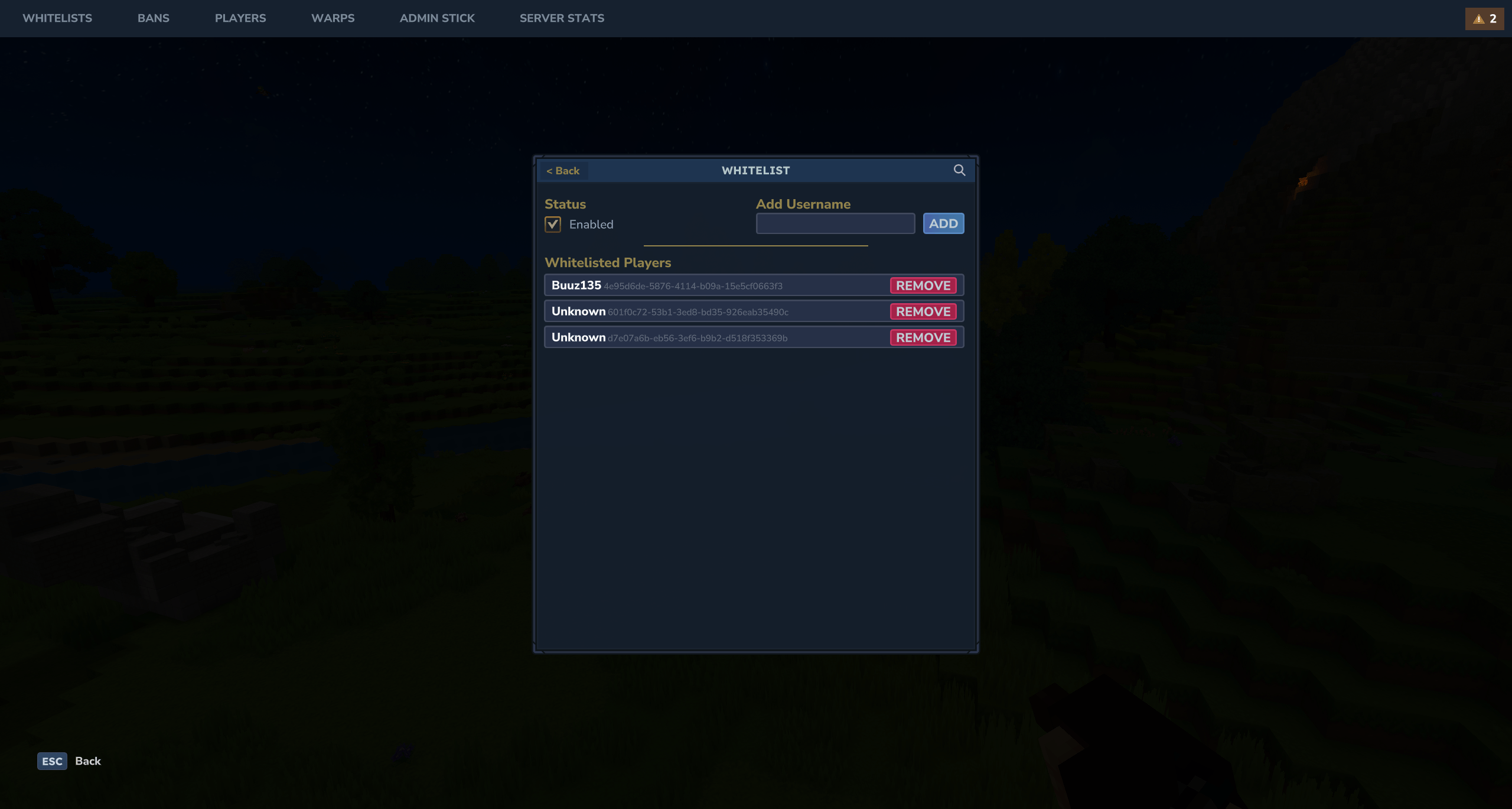
This is invaluable for diagnosing lag issues or knowing when it’s time to upgrade your hosting.
Complete Player Management
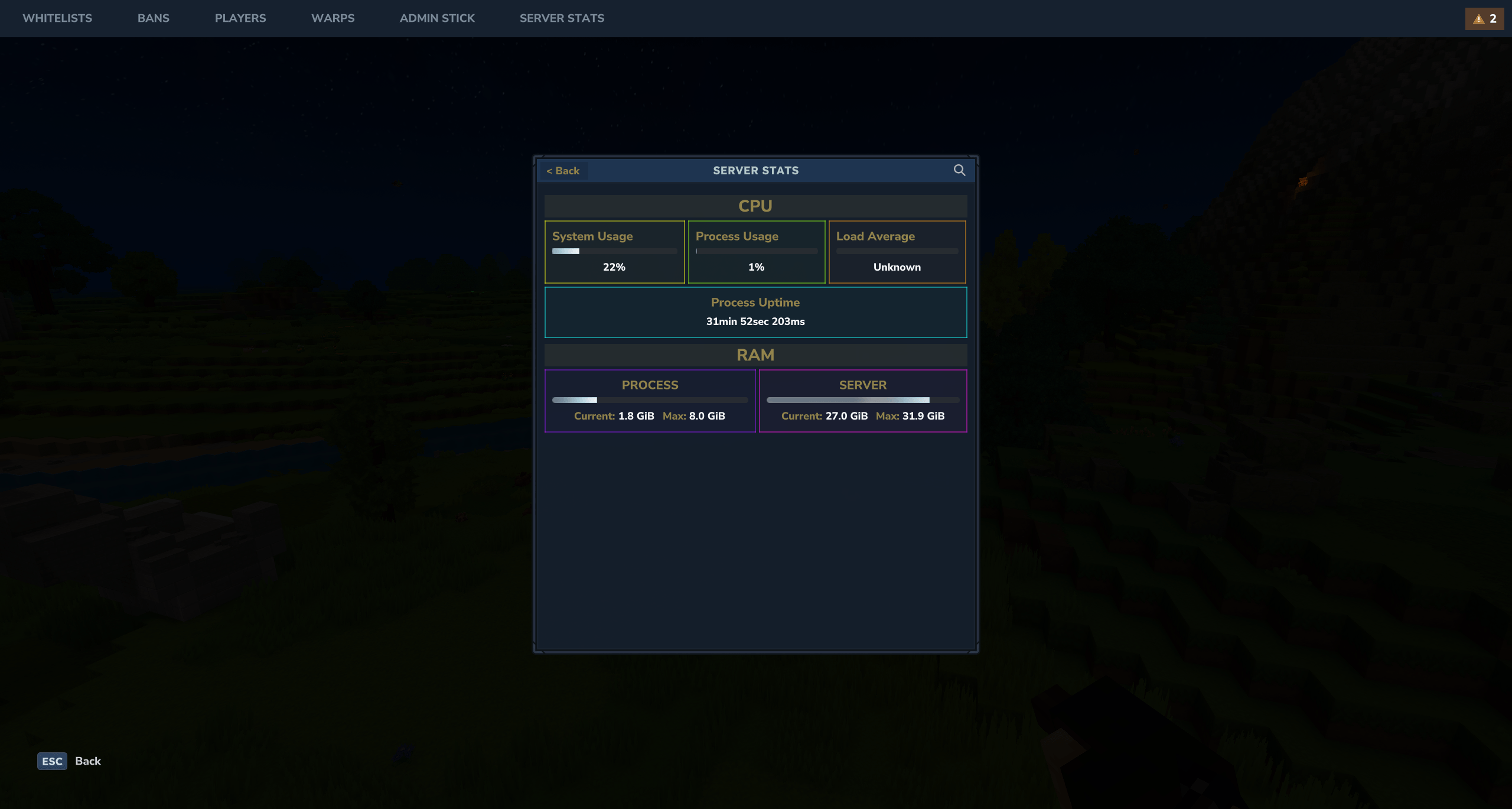
The Players Panel (/admin p) gives you a comprehensive view of everyone on your server:
- Player names and ping
- Current health and coordinates
- Permission levels
- Quick actions for each player
Moderation Tools
Handle troublemakers efficiently with dedicated interfaces:
- Ban Manager (
/admin b) — View, add, and remove bans with reasons and durations - Mute System (
/admin m) — Silence players in chat (custom feature) - Whitelist Control (
/admin wl) — Manage who can join your server
Warp System
Create and manage teleportation points with the Warps Panel (/admin w). Perfect for server spawns, public locations, and admin-only areas.
Backup Management
Never lose your world again. The Backup Panel (/admin bk) lets you create manual backups, view existing ones, and restore previous saves.
The Admin Stick
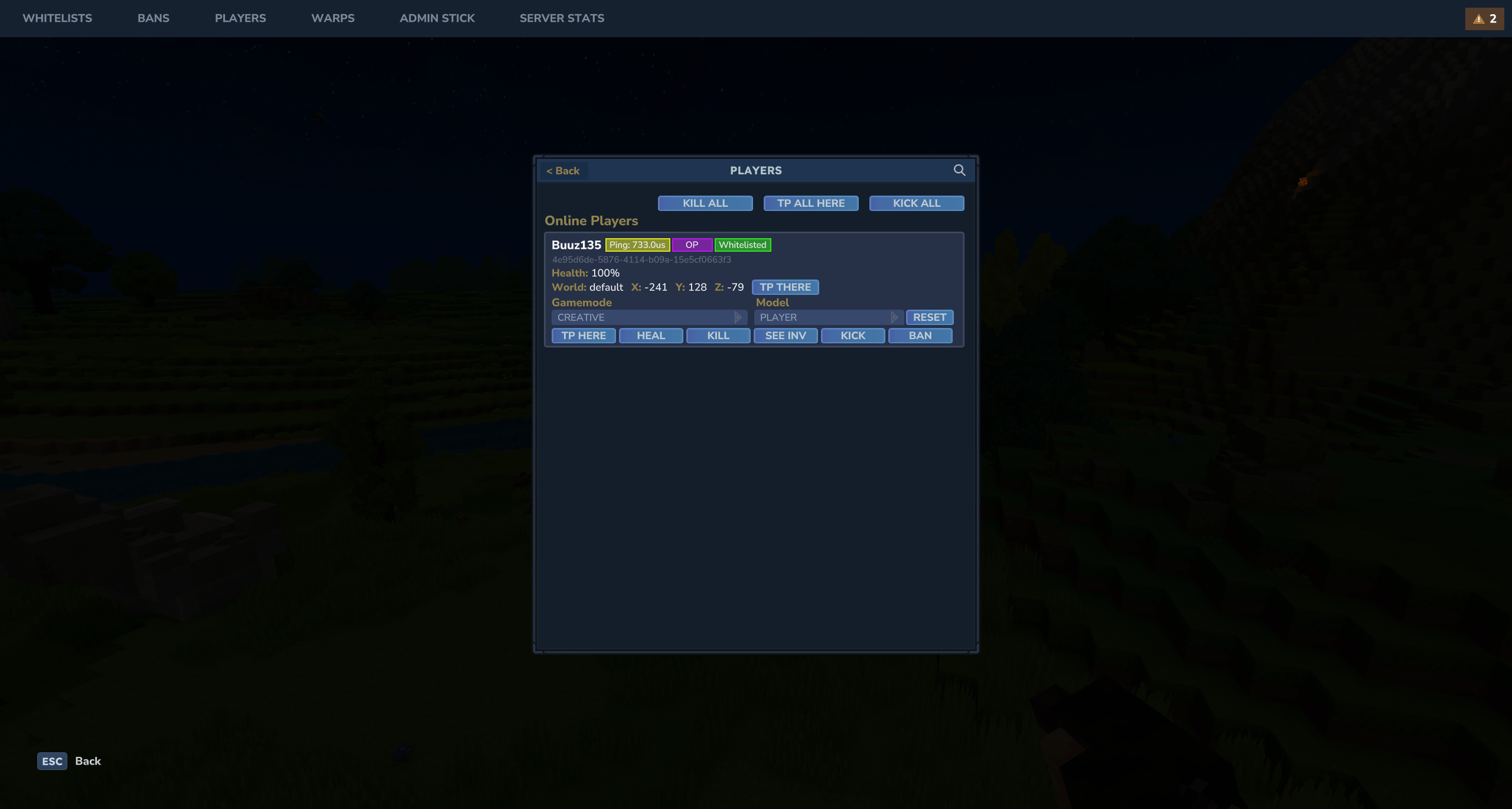
One of AdminUI’s most practical features is the Admin Stick — a configurable item that acts as a shortcut tool.
Each action on the stick (left-click, right-click, shift-click) can be bound to open a specific GUI. The best part? Each player can configure their own stick, so your moderation team can have personalized setups that match their workflow.
Commands Reference
| Command | Function |
|---|---|
/admin | Opens main AdminUI interface |
/admin wl | Whitelist management |
/admin m | Mute management |
/admin b | Ban management |
/admin p | Player list and management |
/admin w | Warp management |
/admin st | Live server statistics |
/admin bk | Backup management |
Who Is This Mod For?
AdminUI is ideal for:
- Server owners managing communities of any size
- Moderators who need quick access to player information
- Admins who prefer visual interfaces over command memorization
You might not need this if:
- You’re playing single-player only
- You prefer command-line interfaces
Compatibility
- Hytale Version: Early Access and above
- License: MIT (open source)
About the Author
Buuz135 is one of the most prolific modders in the early Hytale modding scene. They’re also the creator of other essential server tools like Better Mod List, Simple Claims, and Where This At.
Frequently Asked Questions
Do players need to install AdminUI to join my server?
AdminUI is server-side only. Players can join normally without having the mod installed.
Can I restrict which moderators can access certain panels?
The mod integrates with Hytale’s permission system, allowing you to configure access levels for each feature.
Does this mod affect server performance?
AdminUI is lightweight and only loads the GUI when requested.