
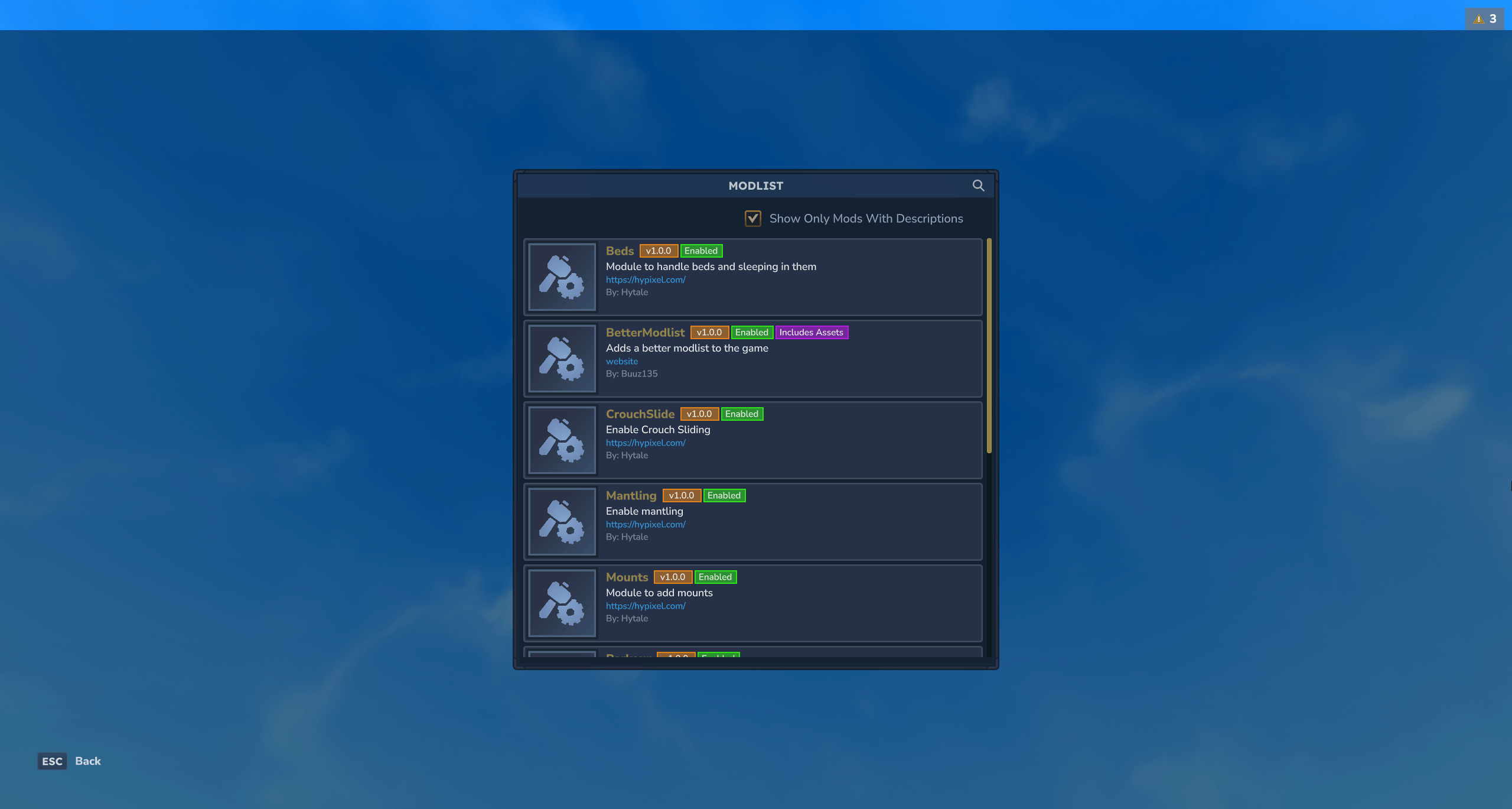
Better Modlist is a utility mod for Hytale that replaces the default mod list with a cleaner, more functional interface. Features include a search bar, logo support for mods, and clear distinction between community mods and official asset packs.
As you start adding mods to Hytale, keeping track of what’s installed becomes increasingly difficult. The default mod list is functional but basic. Better Modlist provides a cleaner, more organized interface to manage all your mods and asset packs.
What Does Better Modlist Do?
Better Modlist replaces the game’s default mod list screen with an enhanced version. It’s a quality-of-life improvement that makes mod management more intuitive—especially useful when you have dozens of mods installed.
Key Features
Search Functionality
The most practical addition is the search bar. Instead of scrolling through a long list of mods, just type a few characters to filter and find exactly what you’re looking for.
Mod & Asset Pack Support
Better Modlist clearly distinguishes between:
- Community Mods — Third-party modifications
- Official Asset Packs — Hytale’s built-in content modules
This separation helps you understand what’s modded versus what’s part of the base game.
Logo Support
Mods can display their own logos in the list, making it easier to visually identify them. If you’re a mod developer, you can add your logo by placing a .png file in:
Common/UI/Custom/AuthorName_ModName.pngFor example, this mod uses Common/UI/Custom/Buuz135_BetterModlist.png.

The recommended logo size is 96x96 pixels, but the mod will automatically scale images to fit.
Cleaner Visual Design
The interface is simply more polished than the default. Mods are displayed in a compact, organized layout that’s easier to scan at a glance.
How to Use
- Install the mod (see Installation tab)
- Open the mod list with the
/modlistcommand - Use the search bar to filter mods
- Browse your installed mods and asset packs
Who Is This Mod For?
Better Modlist is ideal for:
- Players who use multiple mods and want easier management
- Server administrators checking which mods are active
- Mod developers who want their mods to display nicely
- Anyone who appreciates quality-of-life improvements
You might not need this if:
- You only use one or two mods
- You prefer the vanilla experience
For Mod Developers
If you want your mod to show a custom logo:
- Create a 96x96 PNG image of your logo
- Place it at:
Common/UI/Custom/YourName_YourMod.png - The naming format is
Group_Name.pngfrom your mod’s manifest - Better Modlist will automatically detect and display it
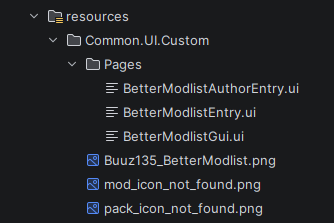
Missing mod and pack icons were designed by Violet.
Compatibility
- Hytale Version: Early Access and above
- License: MIT (open source)
- Conflicts: None known
About the Author
Buuz135 is a prolific modder in the Hytale community, known for creating essential utility mods. Their other popular mods include AdminUI for server management and Advanced Item Info for detailed item tooltips.
Frequently Asked Questions
Does this mod replace any game files?
No, it adds a new interface accessible via /modlist. The original mod list remains unchanged.
Can I use this on servers?
Yes, Better Modlist works on both singleplayer and multiplayer.
Will my logo work if it’s not 96x96?
Yes, the mod will scale your image automatically, but 96x96 provides the best quality.