A lightweight HUD mod displaying your total arrow count with full position customization. Features tracking mode to monitor any item type and auto-hide functionality.
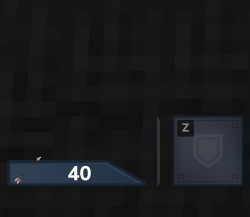
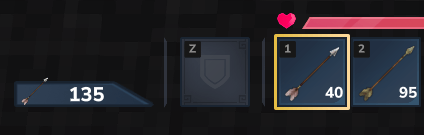
Arrow Display HUD adds a clean, configurable interface element showing your current arrow inventory. Track ammunition at a glance or use tracking mode to monitor any item type in your inventory.
Features
- Fully customizable HUD position via commands
- Total arrow count display from entire inventory
- Lightweight and performance-friendly
- Tracking mode for any item type
- Auto-hide when count reaches zero
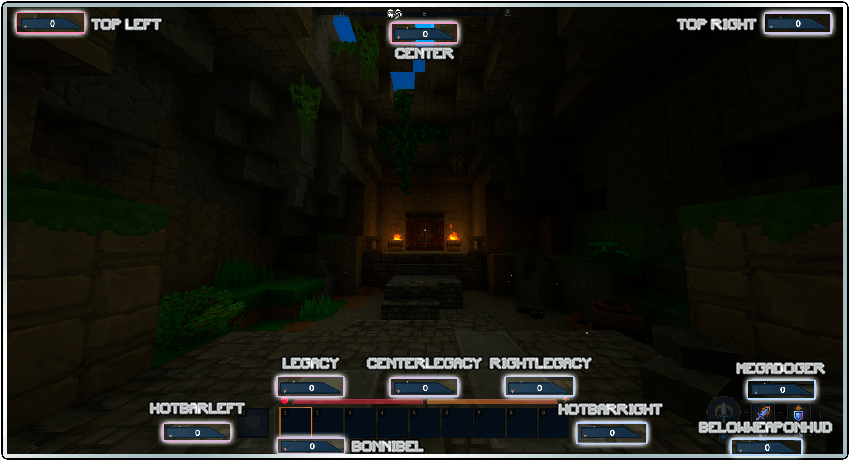
- Preset positions for quick setup
Configuration Commands
Position Control
| Command | Function |
|---|---|
/arrowhud set <X> <Y> | Set exact pixel coordinates |
/arrowhud up <PX> | Move upward by pixels |
/arrowhud down <PX> | Move downward by pixels |
/arrowhud left <PX> | Shift left by pixels |
/arrowhud right <PX> | Shift right by pixels |
Presets
| Command | Function |
|---|---|
/arrowhud presets | List all available presets |
/arrowhud <preset_name> | Apply a preset position |
Available presets include TOP RIGHT, TOP LEFT, BELOWWEAPONHUD, and MEGADOGER. Note that presets were designed for 1920x1080 resolution and may appear differently on other screen sizes.
Functionality
| Command | Function |
|---|---|
/arrowhud autohide | Toggle auto-hide when count is 0 |
/arrowhud track | Track held item instead of arrows |
/arrowhud arrow | Restore default arrow tracking |
Tracking Mode
Hold any item and use /arrowhud track to switch the HUD to count that item type across your entire inventory. Useful for monitoring consumables, materials, or any stackable resource.
Compatibility
The mod works standalone without dependencies. However, for full compatibility with other HUD mods, MultipleHUD is recommended. Without it, conflicts may occur when running multiple HUD modifications simultaneously.
Planned Features
- Improved visual design
- Multiplayer consistency fixes
- Configuration UI