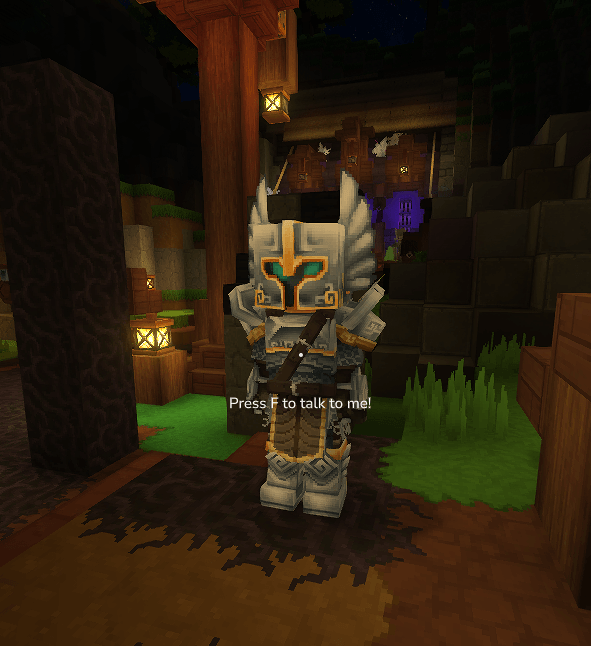
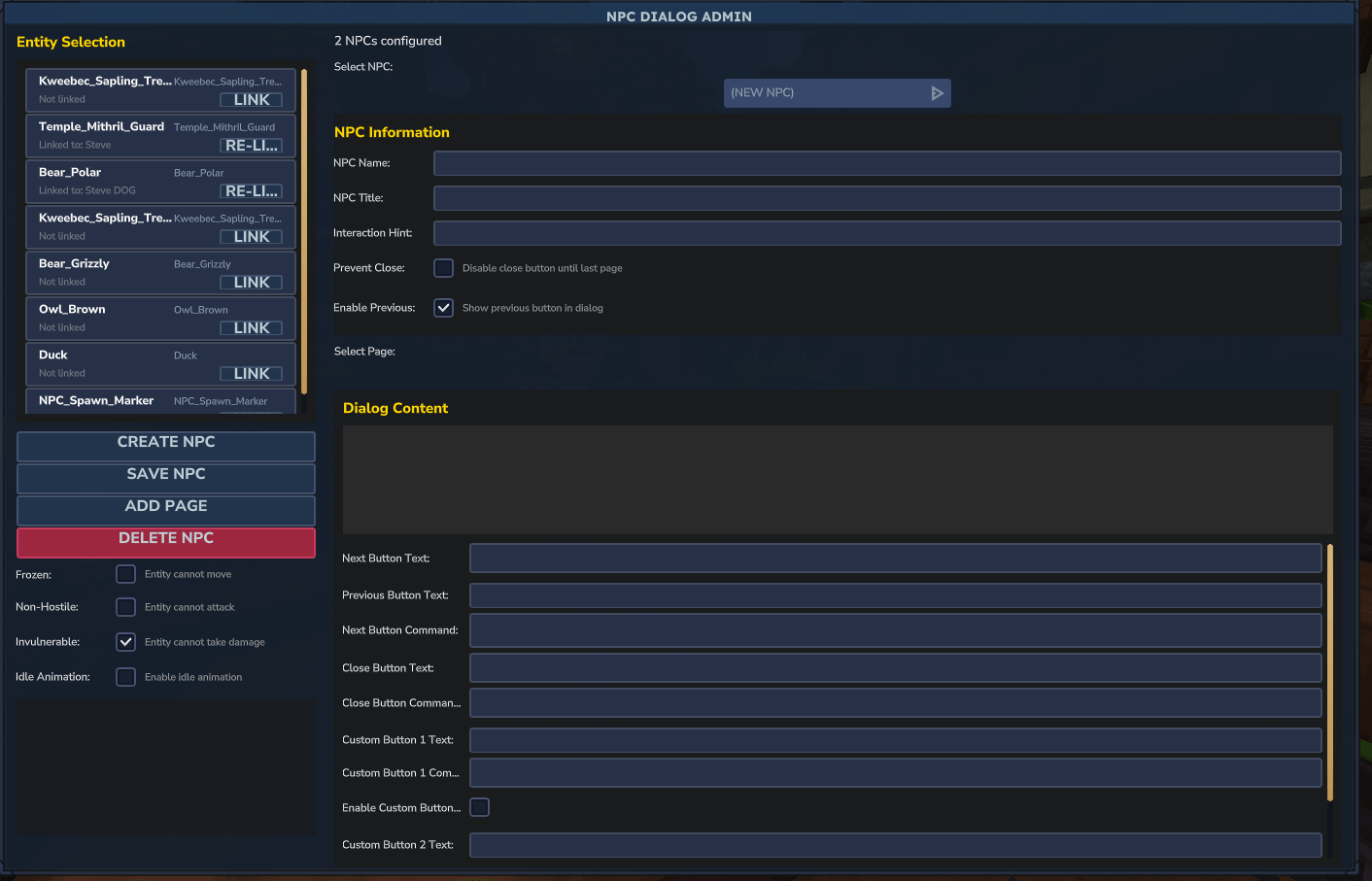
Create rich interactive conversations for any entity. Build quest systems, tutorials, and information NPCs with multi-page dialogs, custom buttons, and command execution.
NPC Dialog transforms any entity into an interactive character with conversations, commands, and quest-giving capabilities. Perfect for story-driven servers and tutorials.
Core Features
- Multi-page dialogs with navigation
- Custom buttons with command execution
- Entity states: Frozen, Non-hostile, Invulnerable
- Custom interaction hints (e.g., “Press F to accept quest”)
- Persistent storage across restarts
- LuckPerms compatible
Admin Commands
Use /npcdialog to open the management GUI (requires npcdialog.admin permission).
Creating an NPC
- Open admin panel with
/npcdialog - Enter NPC name and title
- Write dialog content
- Configure buttons and commands
- Link to an entity in-world
- Add additional pages as needed
Button Commands
Commands support @p and @s selectors (replaced with player name). Examples:
give @p Plant_Fruit_Apple --quantity=1tp @p 100 64 200
Admin commands (give, tp, effect) execute as console automatically.
Use Cases
- Quest givers - Multi-page introductions with “Accept Quest” buttons
- Tutorials - Step-by-step guides with forced progression
- Info NPCs - Server rules, FAQs, help systems
- Shop triggers - Custom buttons linking to other systems
Entity Controls
Toggle these states per NPC:
- Frozen - Prevents movement
- Non-hostile - Prevents attacks
- Invulnerable - Prevents damage
- Idle Animation - Select from available animations
Installation
- Download the mod file using the button above
- Place it in your Hytale mods folder:
%appdata%\Hytale\UserData\Mods - Enable the mod when creating or loading a world