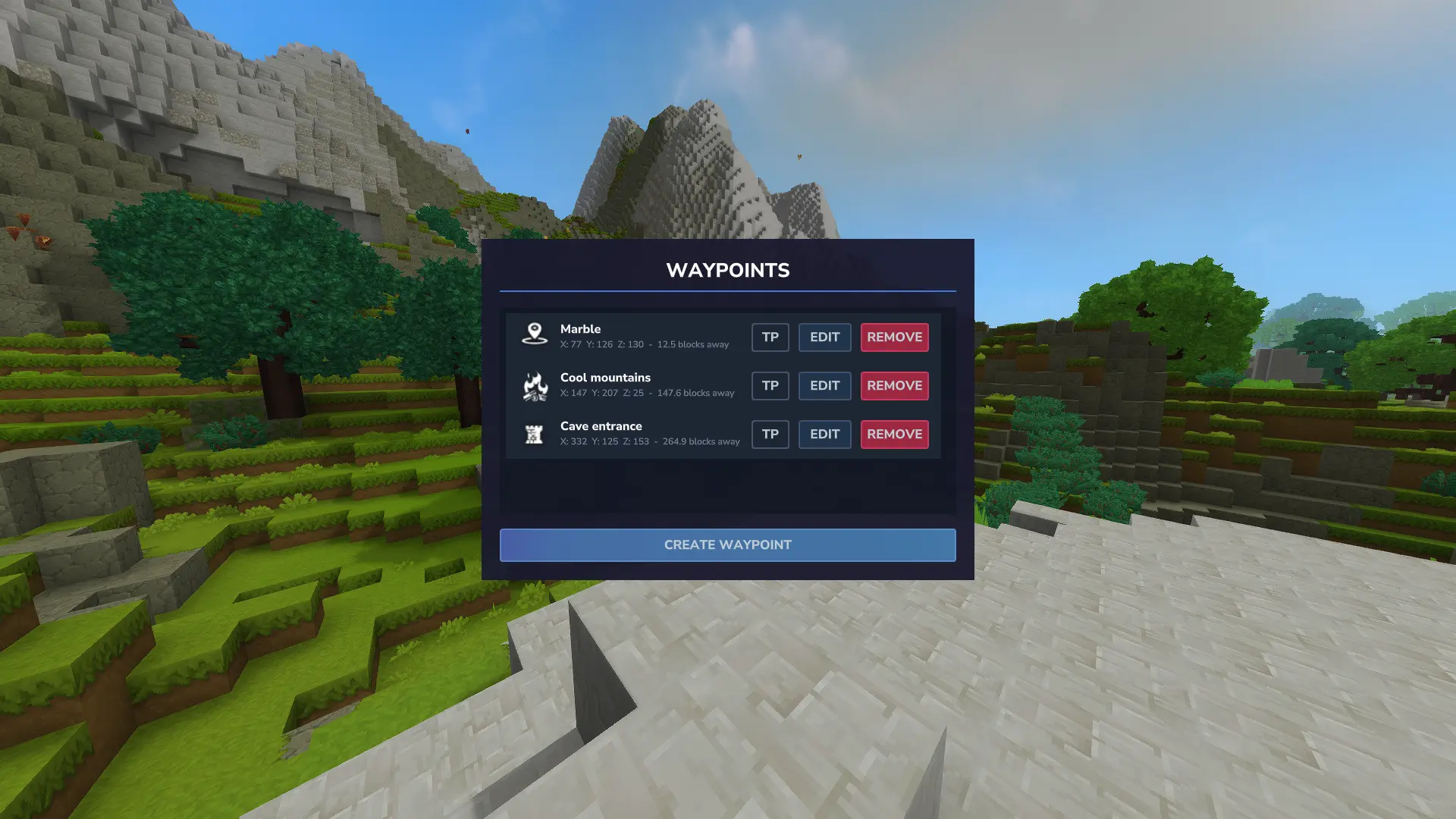
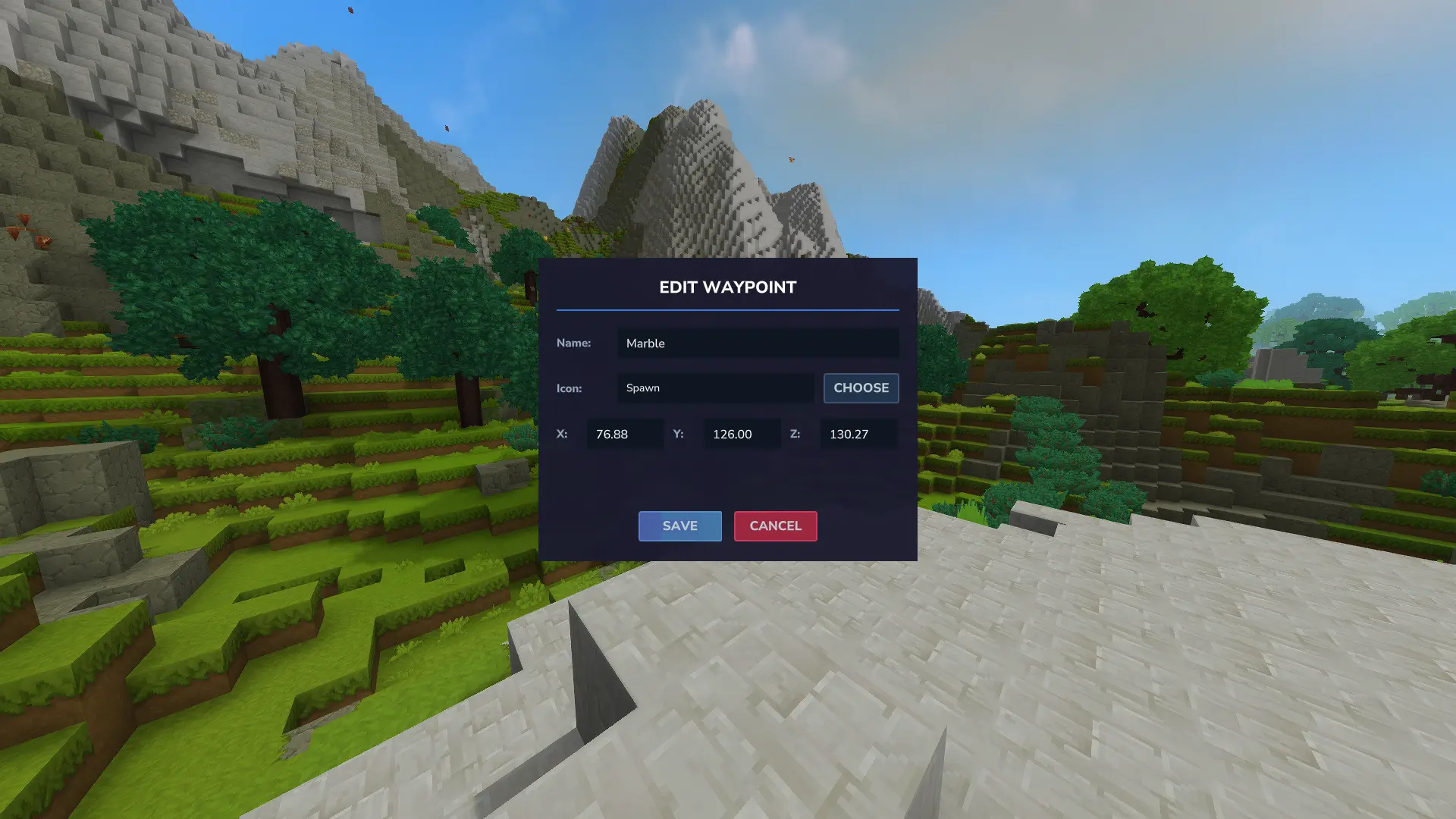
Create, edit, and teleport to waypoints through a clean in-game UI. Waypoints display on your map and compass, sorted by distance with teleport support.
Waypoint Manager provides a complete navigation system with an intuitive UI for marking locations, tracking distances, and fast travel.
Features
- UI-based management - Create, edit, and remove waypoints through a graphical interface
- Distance display - Shows block distance from your position to each waypoint
- Auto-sorting - Closest waypoints appear first
- Map markers - Waypoints visible on your in-game map
- Compass integration - Navigate using compass direction indicators
- Teleportation - Optional teleport button (requires permission or Creative mode)
Commands
/waypointor/wp- Open waypoint manager/teleport [name]- Teleport to a waypoint by name
UI Controls
Each waypoint shows three buttons:
- TP (green) - Teleport to location
- EDIT (blue) - Modify waypoint details
- REMOVE (red) - Delete waypoint
Permissions
Teleport Access
- Creative mode: Automatically granted
- Servers: Requires
waypoints.teleportpermission
Granting Permissions
- Multiplayer:
/perm user add [UUID] boffmedia.waypoints.command.teleport - Singleplayer:
/op self
Planned Features
- Custom waypoint icons
- Translation support
Installation
- Download the mod file using the button above
- Place it in your Hytale mods folder:
%appdata%\Hytale\UserData\Mods - Enable the mod when creating or loading a world